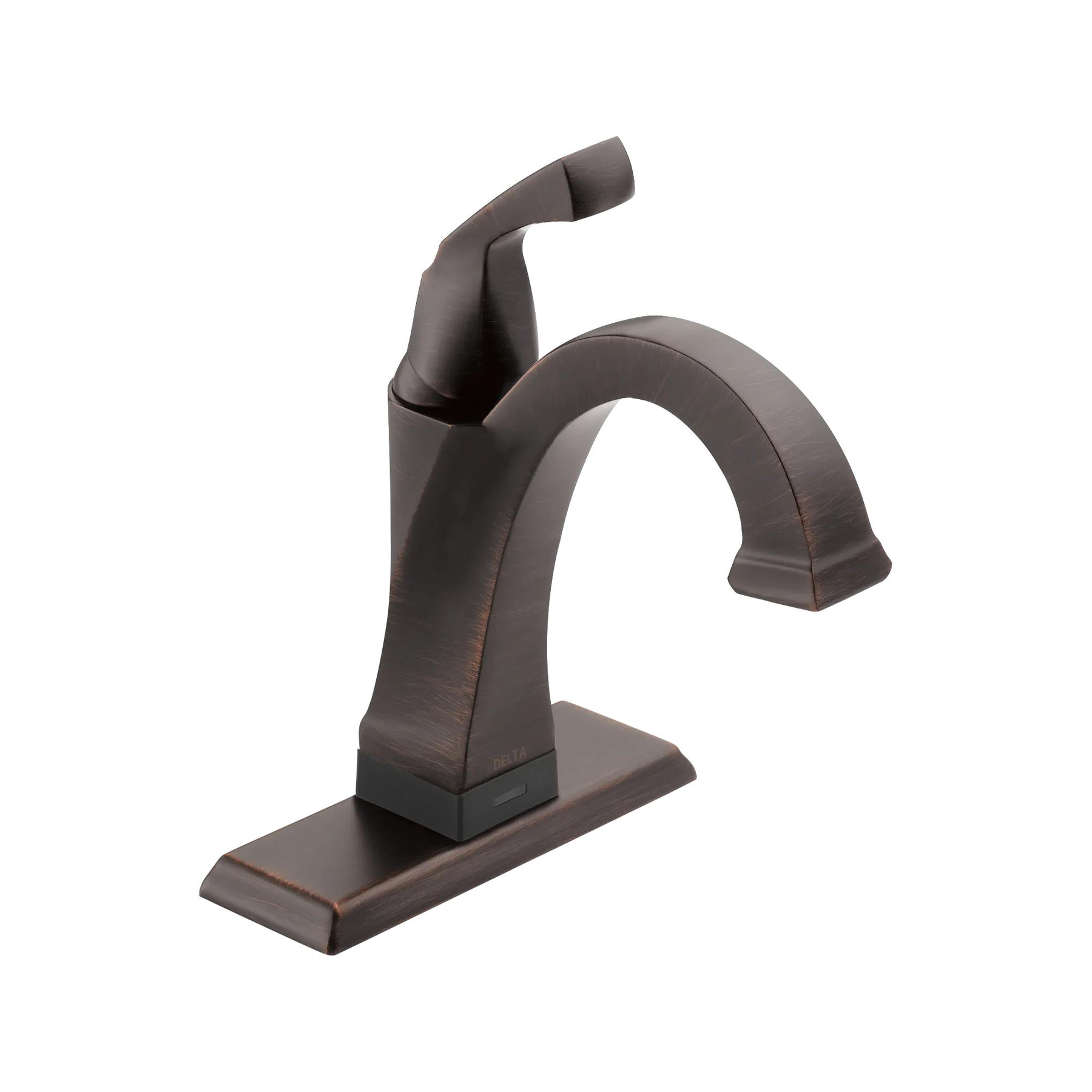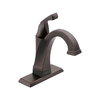
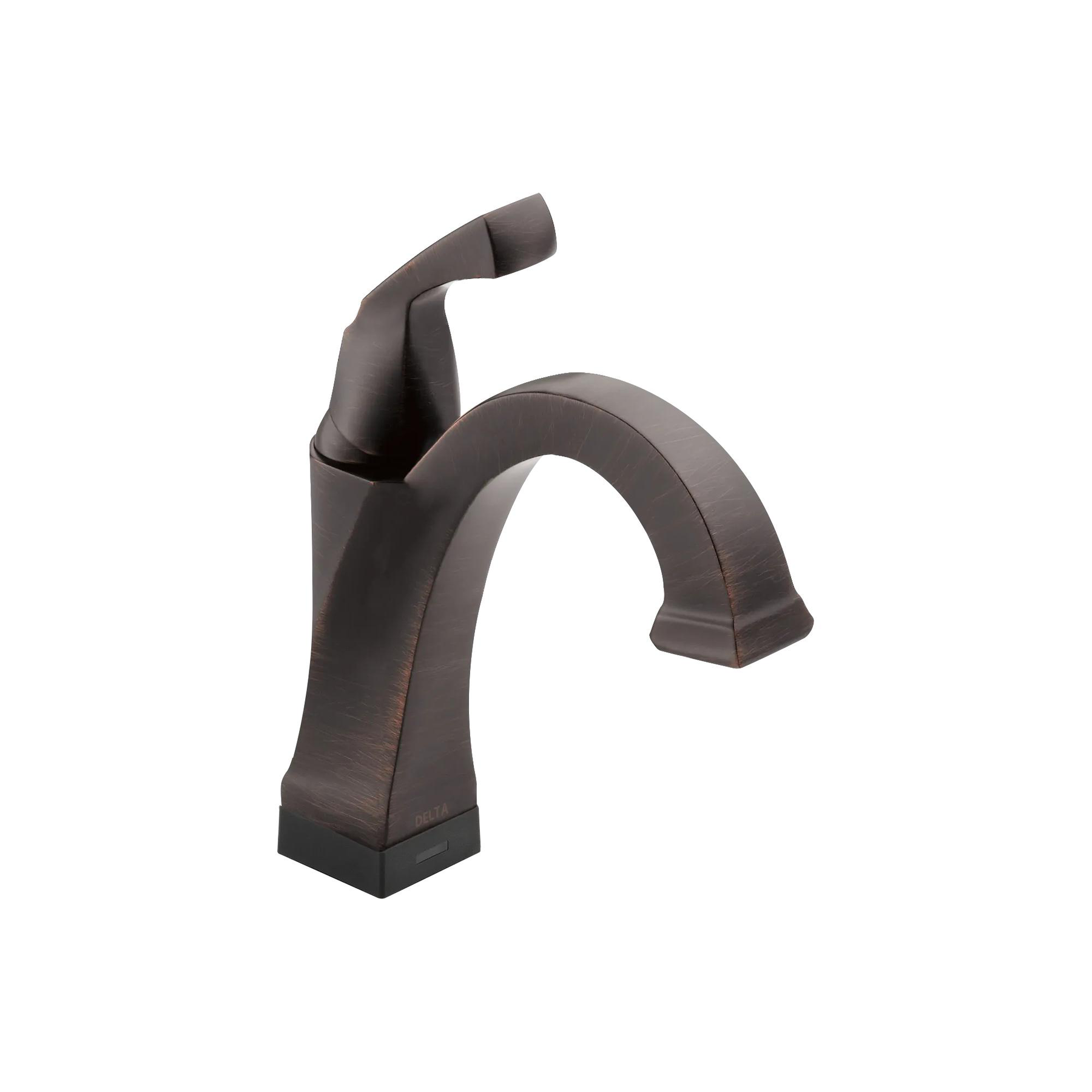
The clean lines and geometric forms of the Dryden® Collection, derived from style cues of the Art Deco period, offer a simple yet sophisticated design. Touch it on. Touch it off. Or go completely hands-free. Delta® Touch2O® with Touchless Technology helps keep your bathroom clean by giving you three ways to operate your faucet: manually with the handle, with a simple touch anywhere on the spout or handle, or by placing your hands near the faucet. The high-tech capacitance sensing capabilities of Touchless faucets allow the flow of water to be activated by breaking the capacitance field anywhere around the device, unlike traditional hands-free infrared sensors which require your hands be in a particular place and are sensitive to lighting conditions and clothing and skin color. WaterSense® labeled faucets use at least 20% less water than the industry standard — helping you save water without compromising performance. You can install with confidence, knowing that this faucet is backed by Delta Faucet's Lifetime Limited Warranty on non-electronic parts and finishes and 5-Year Limited Warranty on electronic parts.
Operate hands-free by placing your hands near the faucet, with just a touch anywhere on the spout or handle, or manually using the handle
Helps keep your faucet cleaner, because washing the mess off your hands shouldn't involve making a mess of your faucet
Automatic water flow shut-off after two minutes helps conserve water
Integrated TempSense® LED light shows water temperature, changing from blue to magenta to red as temperature increases
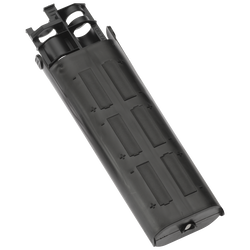
Batteries last approximately 1 year if using AA batteries or 3 years if using C batteries, based on 20 minutes of usage per day
Optional A/C adapter EP102157 may be ordered separately
Diamond Seal® Technology is less hassle to install and helps your faucet perform like new for life, reducing leak points and lasting twice as long as the industry standard
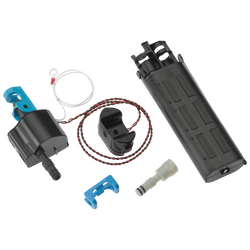
Everything you need is together in one convenient box, including integrated InnoFlex® PEX supply lines
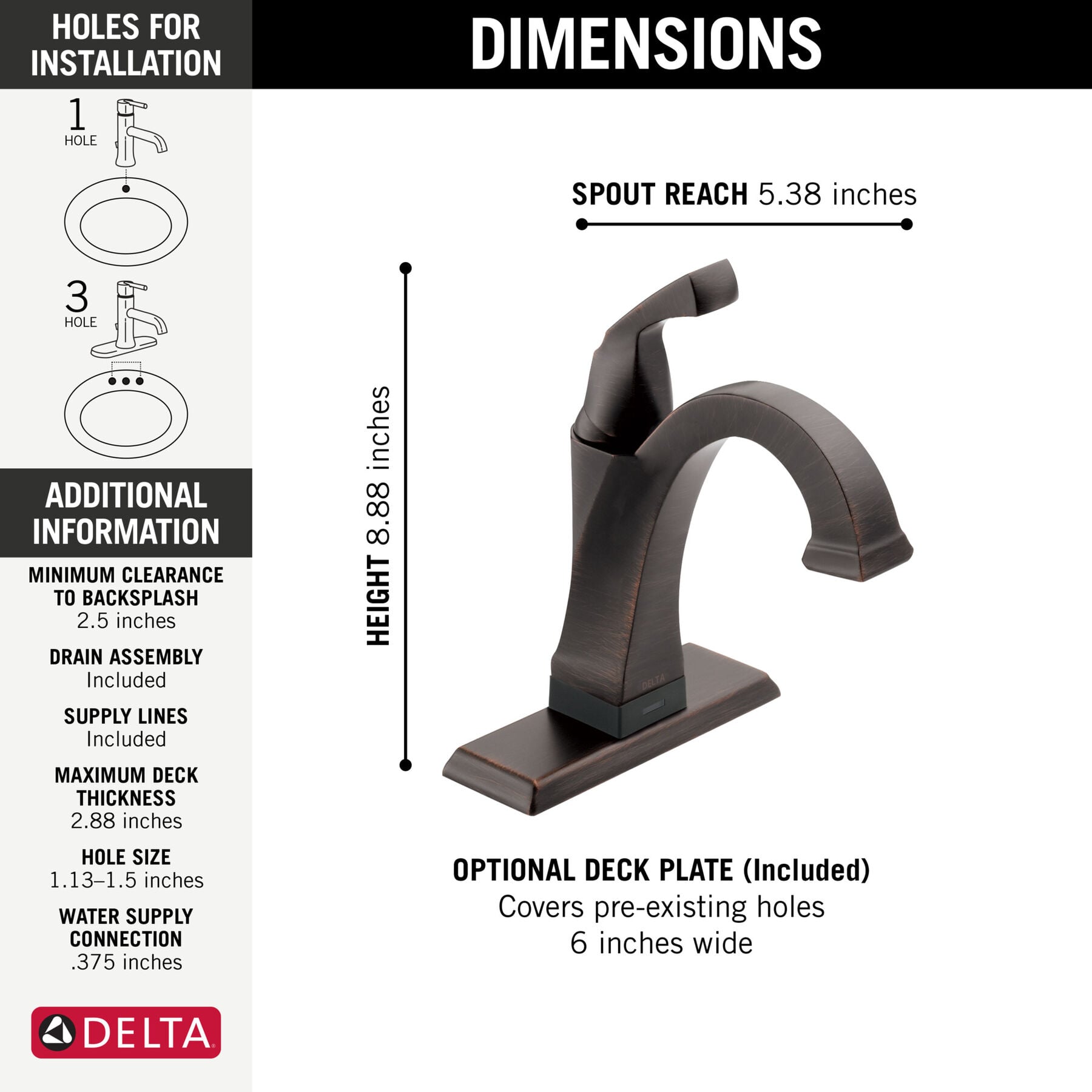
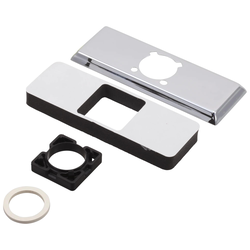
Fits 1 or 3-hole 4-inch installations (with included 6-inch deck plate)
Optional red/blue temperature indicator ring included
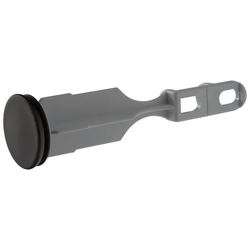
Metal push pop-up drain assembly in matching finish (included) is ADA compliant and simple to install, operate and clean
ADA Compliant
WaterSense® labeled faucet uses at least 20% less water than the industry standard without compromising performance
Rigid spout does not swivel
Backed by Delta Faucet's Lifetime Limited Warranty on non-electronic parts and finishes and 5-Year Limited Warranty on electronic parts
Special Information
California Prop 65 WARNING
CALIFORNIA PROP 65 WARNING
<b>WARNING: </b>Risk of cancer and reproductive harm from exposure to Lead. See www.P65Warnings.ca.gov.
Wash hands after installing or removing the product.
Eco-Friendly
WaterSense® Labeled
Technology and Special Features
ADA Compliant
ADA Compliant
Some people, and some local codes, require fixtures that are compliant with the Americans with Disabilities Act. If someone may visit who has special needs, or if you believe future buyers might appreciate this feature, Delta offers a range of compliant fixtures.
No-Lead Compliant
No-Lead Compliant
Tested and certified to NSF/ANSI Standard 61, which sets the criteria for product safety. The lined waterways in Delta® faucets help prevent leaching of metals.
DIAMOND™ Seal Technology is Delta’s revolutionary new water delivery system. An internal contact surface made up of tiny diamonds makes the valve leak-free and extraordinarily durable. It also keeps water free of contact with potential metal contaminants.
Touch2O® Technology lets you turn the water on or off just by touching any part of the handle or faucet. It’s more sanitary, and it lets you save water by stopping it momentarily when your hands are full and you don’t want to reach back and manually turn the handle.
Touchless Technology
Delta® Touch2O® with Touchless™ Technology allows you to simply place your hand near the faucet, tap the faucet surface, or use the standard handle activation to start and stop the flow of water.
Special Information
California Prop 65 WARNING
CALIFORNIA PROP 65 WARNING
<b>WARNING: </b>Risk of cancer and reproductive harm from exposure to Lead. See www.P65Warnings.ca.gov.
Need help with installation? Find local Delta® installers. Get Quotes. Read reviews.
Enter Valid Zip.
Related Videos: Touch2O® Bathroom Faucet with Touchless Technology
in Venetian Bronze
REVIEWS
Rated 3 out of
5 by
Jen O from
Nice design but iit doesn’t workI bought 2 of these couple of months ago because I have the delta handsfree kitchen faucet that works great. I thought these would be great in my bathroom, specially for kids. However, these faucets are turning on and off on its own when not in use. It also keeps going back to 1 minute timer even during use. It defeats the purpose of touchless when you have to keep tapping and more often than not, tapping doesn't work either. I isolated the wires to no avail. Love the design but products are either defective or need some quality redesign.It’s quite a disappointment and frustrating to use. I hope these can be replaced or return.
Date published: 2023-10-17
Rated 5 out of
5 by
Lovey S from
Happy buyerLooks great, works great!
Date published: 2021-11-30
Rated 5 out of
5 by
TW from
Dryden Bathroom FaucetThe faucet is fantastic. Waiting now to see if the batteries are going to last like delta says
Date published: 2021-08-30
Rated 3 out of
5 by
Manstex from
Great piece of work-when it works.Have owned 4 (2 bathroom faucets and 2 kitchen faucets) with the 02 technology for approx 6 years. About every 2-2 1/2 years, each one has to have replacement parts, usually the sensor that turns the water on and off.
Date published: 2021-07-10
Rated 5 out of
5 by
Charlotte from
Delta Touch less FaucetI love it! It especially great during this time of Corvid-19 ... touch less. So sleek on the counter. It keeps the counter around the faucet a lot cleaner than my prior faucet. I highly recommend it.
Date published: 2020-12-25
Rated 2 out of
5 by
Lindy from
FRUSTRATINGI bought a house with remodeled bathrooms that have the touchless faucets and toilets. I think the folks that invented these must have stock in Duracell batteries!! I have replaced the batteries in my bathroom sink 2 times now and they are dead again...and we have only owned the house for 4 months!! The battery pack is a stinker to get to due to the type of cabinet that was installed...I have to remove the drawers (and everything in them before I do that!). I am too old to be crawling under sinks to do this....what a pain. HOW do i disconnect the the battery permanently???
Date published: 2019-09-15
Rated 5 out of
5 by
Erin224 from
Great quality[This review was collected as part of a promotion.] This faucet is heavy duty and not like one you’d buy from menards/Lowe’s. Would definitely recommend!
Date published: 2019-08-20
Rated 5 out of
5 by
Kellybdecr8r from
IncredibleThis faucet is incredibly solid with an elegant appearance and an amazing hands free technology. I put two in a clients master bathroom and everyone at the job was trying it! Way to go Delta!
Does delta offer Fossett in a non-touch version ?
Asked by: BillR711
Hello BillR711,
Thank you for your question. Yes, the Delta Dryden Lavatory 551-SS-DST faucet is the non-touch model.
Best regards,
Tanya
Answered by: Delta Faucet
Date published: 2024-03-28
Should the unit turn on if I move the wires under the sink?
Asked by: JT
Hi JT,
Thank you for your question. Some of the wires under the sink will be touch sensitive. We recommend isolating the wires from each other and any metal objects during installation.
Best regards,
Jon
Answered by: DeltaFaucet3
Date published: 2017-06-08
Will there be any issues with the Touch2O.xt if this is installed in a copper sink?
Asked by: BathroomInstall
Hello Bathroominstall,
Thank you for your question. The Delta Dryden Lavatory Touch2O 551T-SS-DST faucet can be installed on any type of sink. You would want to make sure that all insulator are used with the installation of the faucet and that the solenoid, battery box and wires are isolated from anything that can conduct electricity below the counter.
Best regards,
Tanya
Answered by: Tanya
Date published: 2024-03-28
Is there a way to power this sink without batteries? I've had to replace 3 times in 1 year..
Asked by: marygleng
Hello Marygleng,
Thank you for your question. The Optional A/C adapter EP73954 may be ordered separately and used in place of the batteries.
https://www.deltafaucet.com/parts-product-detail?modelNumber=EP73954#specsTab
Best regards,
Tanya
Answered by: Tanya
Date published: 2024-03-28
is it possible to turn off the hands free activation and just have the faucet as a touch on/off?
Asked by: Christina
Hi Christina, Thank you for your question. It is possible to turn off the proximity function on your model 551T-SS-DST faucet.
If you would like to reactivate/de-activate the hands-free mode, please follow these instructions:
1) Tap the spout 6 times within 4 seconds.
2) the LED indicator light will flash red/blue.
3) Tap the spout an additional 6 times within 4 seconds of the flashing red/blue LED indicator light.
4) The LED indicator light will flash red/blue a second time to indicate the hands-free mode has been de-activated.
5) The tapping sequence can be done with the handle in the ON or OFF position.
Thanks,
Dave
Answered by: DeltaFaucet2
Date published: 2024-03-28
Why is my hands free featue not working properly?
The hands free feature is not working, even after I tap it 6 times within 4 seconds twice. I don't understand why its not functioning.
Asked by: Sylvia
Hi, Sylvia.
Here are the instructions to turn on the proximity feature.
Put the handle in the off position
Wait 5 seconds
Tap the spout 6 times within 4 seconds.
Notice the light flashes red & blue
As soon as the light stops flashing, tap the spout 6 times within 4 seconds.
Prox mode is now on.
If this does not work, please contact us at (800)345-3358.
Best Regards,
Rosanna
Answered by: Rosanna
Date published: 2017-03-16
How to get sensing field to work?
I noticed the sensing field is not working but the touch does. I replaced the batteries and still the sensing field doesnt work when i place my hands near. How do i turn this function back on
Asked by: Andrew
Hi Andrew,
Thank you for your question! To turn the proximity feature on or off, tap the faucet six times within 4 seconds. The lights will flash briefly, then tap it again 6 times again.
How-To Video (starting at 12:22):
http://www.deltafaucet.com/shopping-tools/research/video-gallery/video.html?v=IdPZnnEd6ZI&cat=
Best regards,
Jon
Answered by: DeltaFaucet3
Date published: 2024-03-28
How do I get the blue and red light to come on?
Asked by: Andrea
Hello Andrea,
Thank you for your inquiry! The red and blue LED indicator light on the base of the Delta Dryden Lavatory 551T-SP-DST faucet model, should come on when either 6 AA (included) or 6 C (optional) batteries are installed.
Best regards,
Tanya
This online price is exclusive to DeltaFaucet.com. The list price may be shown on products offered outside of the Outlet section on DeltaFaucet.com. Strikethrough pricing may be used to show discounts.
ATTENTION
This link will take you out of the International section and direct you to another page.